An account-based CRM is a system where accounts, not contacts, drive ownership, workflows, and reporting.
Deals move at the company level. Reps own companies. Pipelines reflect the state of an account, not individual conversations. Contacts exist as people inside the account, not as independent entities running their own parallel flows.
This distinction matters because contact-first CRMs fall apart as soon as more than one person from the same company enters the system.
A very common failure looks like this:
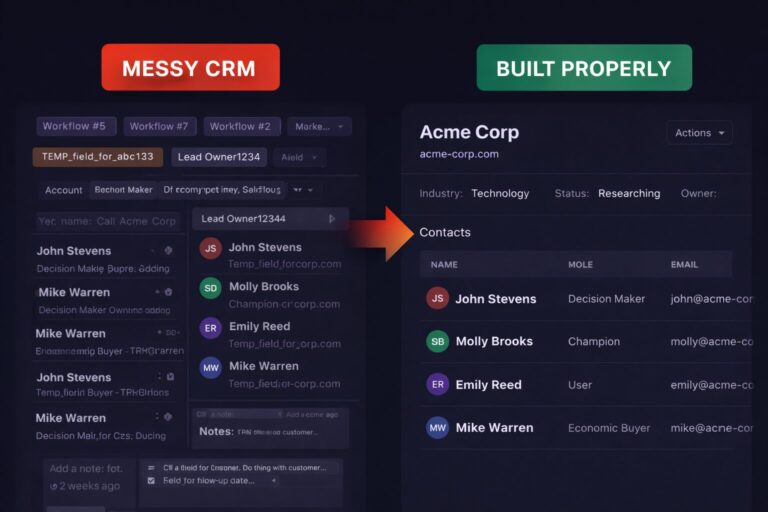
one rep owns the company, but each new contact triggers a fresh assignment. Suddenly the same company has three or four different AEs reaching out, each seeing only part of the history. Internally, the CRM shows activity. Externally, it looks disorganised.
That is not a sales problem and it is not a tooling issue. It is a data model problem.
If your business operates around companies, but your CRM treats every contact as its own lane, friction is guaranteed.
How to Tell If an Account-Based CRM Fits Your Business
You likely need an account-based model if:
- One company can have multiple active contacts at the same time
- Ownership should stay consistent at the company level
- Deals involve coordination across roles, not single buyers
- Renewals, expansions, or long-term relationships matter
- You care about account health more than individual activity
You likely do not need it if:
- Sales are strictly one-to-one and transactional
- Cycles are short and high-velocity
- Relationships end at conversion
- Ownership never changes
Account-based CRMs are not “better”. They are heavier. They only make sense when the company is the thing that actually progresses through your pipeline.
What an Account-Based CRM Actually Changes
Moving to an account-based model is not a UI tweak. It changes where work lives.
- Ownership sits on the account
- Pipelines represent account progression
- Activities roll up to the company
- Reporting answers questions about accounts, not people
Contacts still matter, but they stop being the unit of organisation.
How to Start an Account-Based CRM Build
This is where most implementations go wrong. The structure is usually fine. The entry points are not.
1) Decide where work lives
In an account-based setup:
- Accounts hold ownership, lifecycle stage, and priority
- Deals belong to accounts
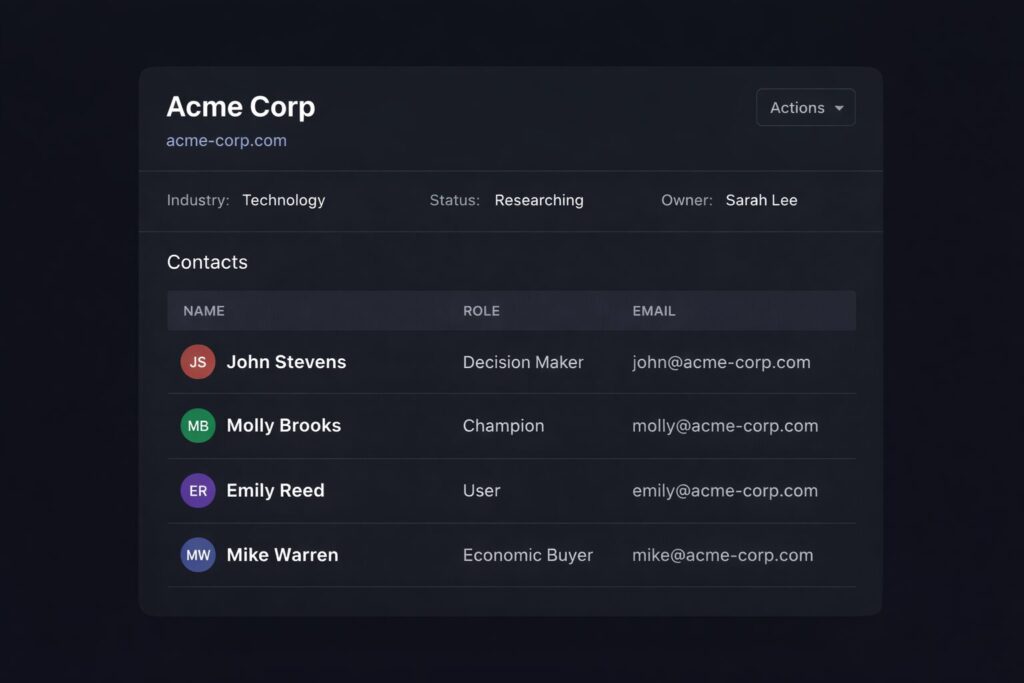
- Contacts are linked stakeholders
- Activity is attached to the account by default
If important actions only exist on contacts, the system will drift back to contact-centric behaviour.
2) Fix inbound handling first
Inbound is where most account-based CRMs break.
Instead of:
Inbound form → contact created or updated → AE assigned per contact → multiple reps touch the same company
Do this:
Inbound form → resolve company → find or create account → create a task or inquiry on the account → route to the account owner
This single change prevents duplicate outreach and keeps ownership stable. The rep engages the company, not “their” contact.
3) Introduce a simple account holding state
Most teams need a neutral place for new or unclear accounts.
This can be as simple as:
- New
- Researching
- Working
- Disqualified
- Customer
The goal is not sophistication. The goal is to avoid work floating between contacts without context.
4) Model stakeholder roles explicitly
If roles are not captured, people will invent shortcuts.
At minimum, capture:
- Role in the deal
- Influence level
- Current status
Avoid fake constructs like “primary contact”. In real deals, that person often changes.
5) Let tasks and automation follow the account
Tasks should be driven by account stage, not by which contact happened to submit a form or reply to an email.
If automation fires because a contact exists rather than because an account is progressing, you will recreate the same chaos under a different name.
Common Mistakes That Undermine Account-Based Setups
- Renaming contacts to “accounts” without changing structure
- Duplicating account logic inside deals
- Letting automation run at the contact level because it is easier
- Treating account-based design as an add-on rather than the foundation
- Over-engineering relationships until no one trusts the data
Most of these mistakes come from trying to retrofit an account model into a contact-first system without redesigning the workflow.
Choosing the Right CRM Model Before You Build
Not all CRMs support account-based work in the same way.
Some systems are built around pipelines and deals. Others allow you to model objects and relationships more freely. The difference matters once you move beyond simple sales flows.
Rather than forcing a model into the wrong structure, it is worth deciding how your CRM should be shaped before you pick or customise the tool.
We cover this distinction in detail in our article on Object-Based CRMs vs Pipeline-Driven CRMs, including when each approach makes sense and what breaks if you choose the wrong one.
The Core Question
The decision is not “account-based or not”.
The real question is simple:
What is the thing your team actually manages over time?
If the answer is a company, a relationship, or an account, your CRM should be built around that. Everything else should support it.